
Last updated:
Choose a Bushnell laser by the information and controls you will use during a round. Tour V7 Shift emphasises its display and convenient slope switching; Pro X3+LINK adds environmental and connected features; Tour Hybrid combines laser and GPS yardages; A1-Slope puts the task into a compact rechargeable format.
These are different buying routes, rather than a single ranking in which the most expensive model must suit everyone. Check the exact model suffix and try the viewfinder and controls before choosing. A useful display for one golfer can be less comfortable for another.
Link disclosure: The manufacturer and support links below are direct information links. No affiliate commission is assumed from them.
Guide checked: 9 September 2026. This article uses the linked manufacturer information. We have not carried out hands-on testing. Confirm the exact version and current buying terms before ordering.
| Model | Distinctive feature | Trade-off to assess |
|---|---|---|
| Tour V7 Shift | Red/green OLED, Slope-Switch, yardage recall | Whether the viewfinder is easy for you to read |
| Pro X3+LINK | Locking slope switch and environmental compensation | Whether you will maintain and use the extra settings |
| Tour Hybrid | Laser plus GPS front/centre/back inside viewfinder | Whether you want both kinds of yardage in one device |
| A1-Slope | Compact body, USB-C recharge, mode-button slope control | Grip comfort and remembering the charging routine |
Table of Contents
Use the display before judging the feature list
Bushnell identifies a red-and-green OLED display for Tour V7 Shift. Pro X3+LINK instead offers red or black display settings. Those are different presentations, so compare them in lighting similar to the rounds you normally play rather than assuming the labels describe the same screen.
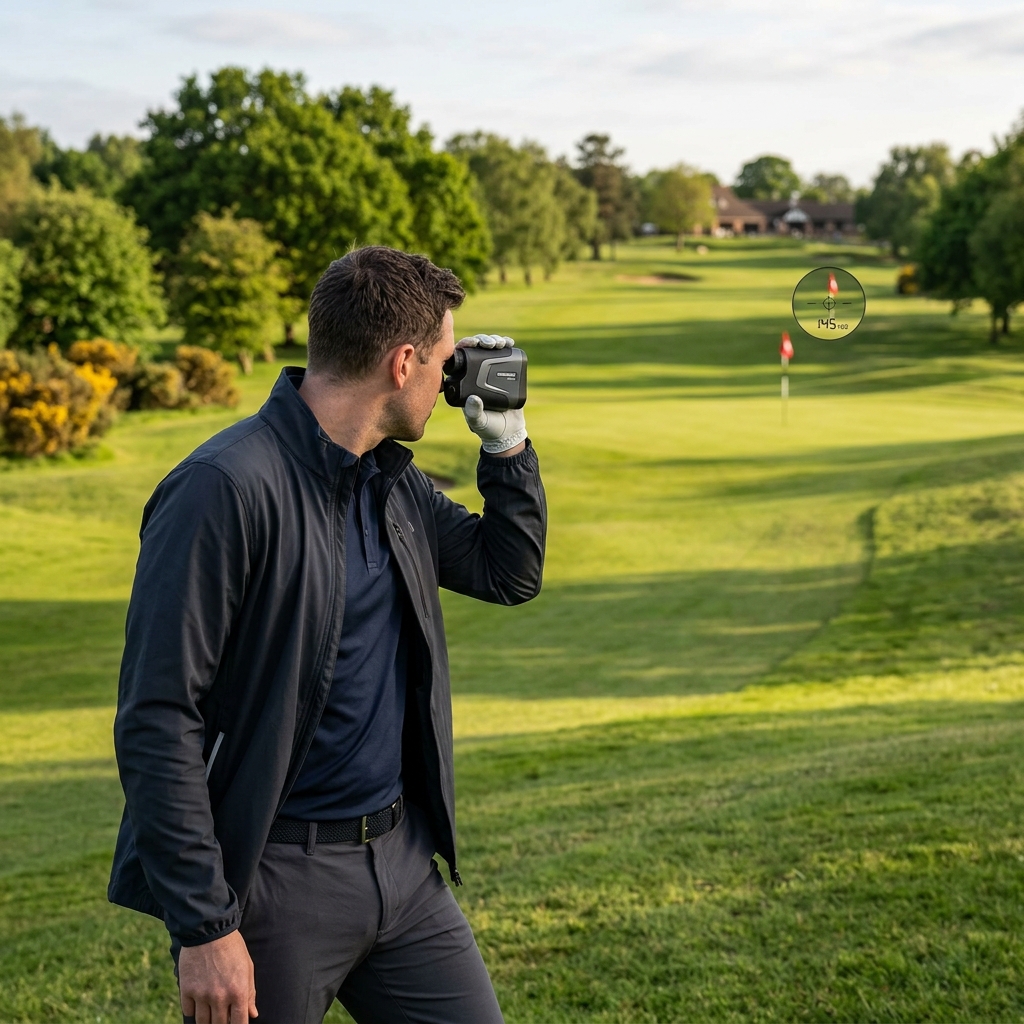
Try the eyepiece with your usual glasses if you wear them. Check whether you can find the target, read the main yardage and distinguish an adjusted distance without repeatedly moving the device away from your eye. A clear routine is more valuable than a display specification that does not translate into comfortable use.
Slope controls should be easy to verify
Tour V7 Shift has a physical Slope-Switch, while Pro X3+LINK adds a locking interaction. A1-Slope changes slope mode through its Mode button. That gives you a concrete handling comparison: how quickly can you confirm which mode is active before a shot?
For competition, check the event’s distance-measuring conditions and configure permitted features accordingly. A manufacturer’s competition-friendly description does not replace those conditions. Practise finding and verifying the setting before a competitive round so that it is part of an ordinary pre-round check.
Tour Hybrid answers a different distance question
Tour Hybrid combines laser ranging with built-in GPS front, centre and back distances in its viewfinder. The laser helps identify the distance to a visible target; the GPS figures provide a view of the green’s depth. That combination can be useful when the pin distance alone does not tell you how much space surrounds the target.
Its specification explicitly says it is not LINK-enabled. Do not assume Bluetooth, GPS and LINK are interchangeable feature names. If you already use a GPS watch you trust, decide whether duplicating those green distances in the laser is convenient enough to justify choosing the hybrid format.
Pro X3+LINK needs an exact feature match
The checked Pro X3+LINK page describes temperature and altitude compensation and a home-elevation adjustment, as well as its locking slope control. These features matter when you understand what adjusted yardage is being shown and want to use the additional settings.
Match the complete X3+LINK name to the listing. An older Pro X3 or X3+ offer should be assessed from its own documentation rather than given every feature on the newer page. If a connected function is the reason for buying, ask for the relevant app and account requirements and a demonstration of the information reaching the device.
A1-Slope changes the carrying and charging routine
A1-Slope uses an internal rechargeable battery with USB-C charging. Bushnell’s checked package includes a BITE magnetic skin. It also lists no Bluetooth or LINK, which helps define the simpler role of the device.
Try the smaller body in your hand before assuming compact automatically means easier. Check where your fingers rest, whether the power and mode controls are comfortable and how you will carry it between shots. Decide where charging fits into your routine, particularly if you tend to leave golf equipment in a bag between rounds.
Finish with an exact UK offer
The linked manufacturer pages establish these model differences, but their displayed overseas prices and terms do not establish a UK retailer’s offer. Confirm the exact version, supplied case or skin, power equipment and local support route in the listing you plan to use.
Ask for a normal ranging demonstration that includes a flag with background objects and a second visible target. Our recommendation is to judge how confidently you obtain and interpret repeatable readings, rather than relying on the longest advertised maximum range. Choose V7 Shift for its display-led laser routine, investigate X3+LINK for the extra environmental and connected functions, choose Hybrid when both GPS and laser information matter, and consider A1-Slope when its compact rechargeable format suits your handling preferences.
Check the named products
View Bushnell Tour V7 Shift information
View Bushnell Pro X3+LINK information
View Bushnell Tour Hybrid information
View Bushnell A1-Slope information
For the broader decision between features and everyday usability, see our UK golf rangefinder buying guide.