
Table of Contents
What is a Golf Simulator?
A golf simulator is a technology that creates a realistic golfing experience without needing to physically be on a golf course. It uses sensors and software to analyse a golfer’s swing, track the ball’s flight, and project a virtual representation of a golf course onto a screen. Essentially, it replicates the game indoors. Simulators range from portable, affordable options for home practice to sophisticated, high-end systems used by professionals and in commercial settings. The core components usually include a launch monitor, a projection system, a hitting surface (mat), and software that renders the virtual environment.
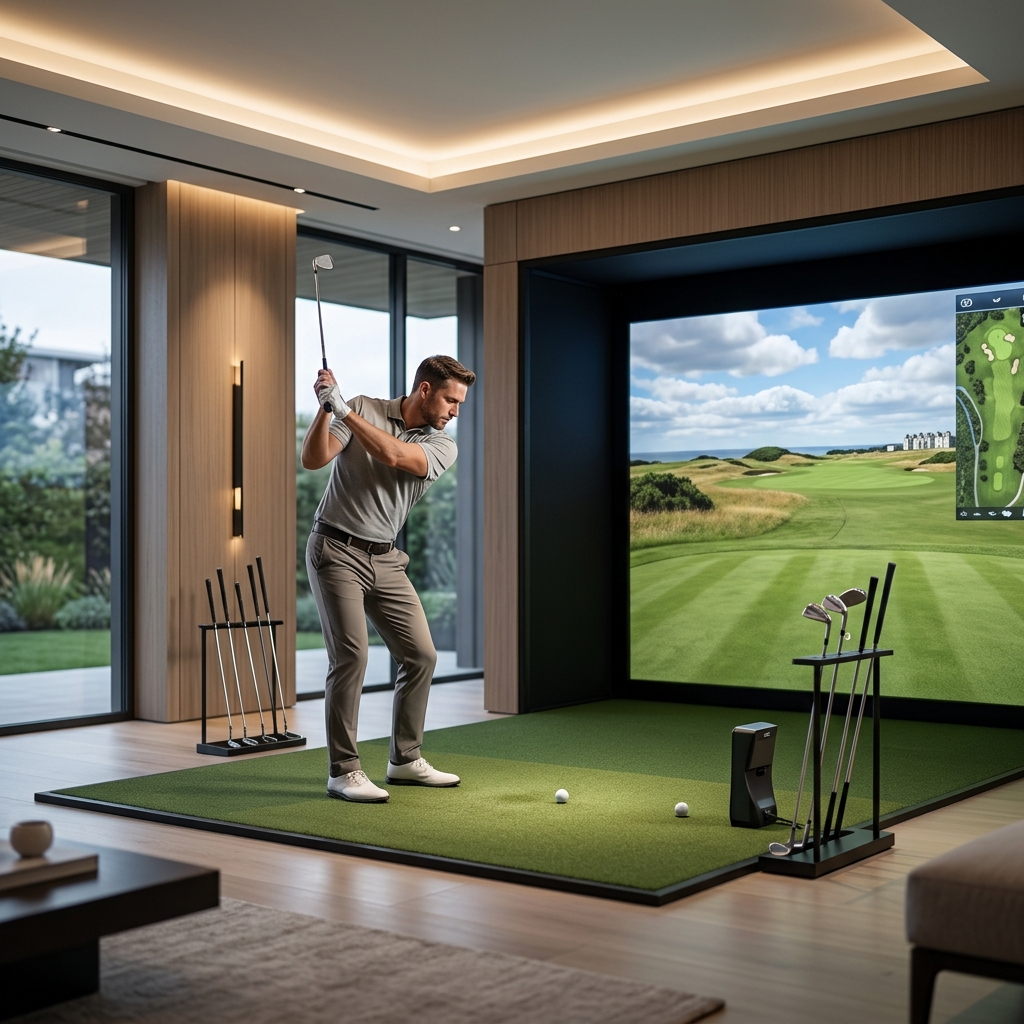
There’s a key distinction between home simulators, designed for individual or family use, and commercial simulators, built for higher usage, durability, and often, profit generation.
The Technology Behind Golf Simulators
Launch Monitors
The heart of any golf simulator is the launch monitor. These devices measure various parameters of your swing and the ball’s initial flight. There are two main types:
- Radar-based: These use radar technology to track the club head and ball. They are generally more accurate and less affected by ambient light. Examples include TrackMan 4 and Foresight Sports GCQuad.
- Camera-based: These rely on high-speed cameras to capture images of the club and ball at impact. They’re often more affordable but can be susceptible to inaccuracies in poor lighting conditions. SkyTrak is a popular example.
Key metrics tracked by launch monitors include:
- Ball Speed: How fast the ball is travelling immediately after impact.
- Launch Angle: The angle at which the ball leaves the clubface.
- Spin Rate: The rate at which the ball is spinning, influencing flight and landing.
- Carry Distance: How far the ball travels in the air.
- Club Head Speed: How fast the club is moving at impact.
- Smash Factor: A measure of the efficiency of energy transfer.
Projection Systems
Projectors display the virtual golf course. Short-throw projectors are preferred because they require less space. Resolution (at least 1080p, ideally 4K) and brightness are crucial for a realistic experience. BenQ TH671ST is a popular choice.
Putting Surfaces
Dedicated putting surfaces, like those from Putting Edge, provide a realistic feel for short game practice. These are often separate from the main hitting area.
Software
Software is what brings everything together. It renders the golf courses, calculates ball flight based on launch monitor data, and provides game modes. GolfBox 4.0 is a widely used option.
Benefits of Owning a Golf Simulator in the UK
- Year-Round Practice: Play golf regardless of the weather.
- Game Improvement: Analyse your swing and identify areas for improvement.
- Entertainment: Enjoy playing famous courses from the comfort of your home or business.
- Convenience: No need to travel to a golf course.
- Cost Savings: Potentially save money on green fees and driving range costs over time.
- Social Aspects: Play with friends and family, or participate in online competitions.
Golf Simulator Costs: UK Pricing in 2026
Costs vary wildly depending on the quality and features. Here’s a breakdown:
Launch Monitor
- Entry-Level (SkyTrak): £1895
- Mid-Range (Uneekor QED): £5495
- High-End (TrackMan 4, Foresight Sports GCQuad): £12995 – £6995
Projector & Screen
- Projector (BenQ TH671ST): £699
- Impact Screen (Carl’s Place): £349
Software
- GolfBox 4.0 (Annual Subscription): £399
Enclosure/Space Build-Out
This is highly variable. A basic enclosure can cost from £500, while a dedicated, soundproofed room could exceed £5,000.
Total Cost Estimates (2026)
These are approximate figures:
- Entry-Level Home Simulator: £3,000 – £5,000
- Mid-Range Home Simulator: £7,000 – £12,000
- High-End Home/Commercial Simulator: £15,000+
Home Golf Simulators: What You Need to Know
Setting up a home simulator requires careful planning. Consider:
- Space: A minimum of 8ft x 10ft is recommended, with at least 9ft ceiling height.
- Room Dimensions: The length of the swing arc is crucial.
- Ceiling Height: Important for projector placement.
- Noise: Impacts can be loud. Soundproofing materials are recommended.
You can opt for a DIY setup, sourcing components individually, or a pre-built package like Full Swing Golf Simulator (£8995), offering convenience but often higher cost.
Commercial Golf Simulators: Options for Businesses
Golf simulators are becoming increasingly popular in commercial settings:
- Golf Driving Ranges: Supplementing traditional bays.
- Golf Clubs: Providing year-round practice facilities.
- Sports Bars: Offering a unique entertainment experience.
- Entertainment Venues: Attracting a wider customer base.
Commercial setups require durable equipment, high throughput (ability to handle multiple users), and a solid ROI (Return on Investment). Licensing for software and potentially for operating a commercial golf facility may be required, as well as appropriate insurance.
Top Golf Simulator Brands & Models Available in the UK (2026)
| Brand | Model | Price (approx.) | Pros | Cons |
|---|---|---|---|---|
| TrackMan | TrackMan 4 | £12995 | Industry-leading accuracy, comprehensive data. | Very expensive. |
| Foresight Sports | GCQuad | £6995 | Highly accurate, versatile, excellent software options. | Expensive. |
| SkyTrak | SkyTrak Launch Monitor | £1895 | Affordable, portable, good for beginners. | Less accurate than radar-based systems. |
| Uneekor | QED Launch Monitor | £5495 | Good balance of price and performance, accurate. | Requires good lighting. |
| Full Swing | Full Swing Golf Simulator | £8995 (package) | Complete package, easy setup. | Can be limiting in terms of customization. |
Golf Simulator Accessories: Enhance Your Experience
- Golf Mats: Fibergolf Golf Mat (£299)
- Hitting Screens: Carl’s Place Impact Screen (£349)
- Golf Balls: Specifically designed for simulator use.
- Tees: Variety of heights and materials.
- Putting Cups: Putting Edge Putting Green (£199)
- Soundproofing Materials: Foam panels, acoustic curtains.
- Furniture: Comfortable seating for players and spectators.
- Lighting: Ensure adequate and even lighting.
Setting Up Your Golf Simulator: A Step-by-Step Guide
- Prepare the Space: Clear the area and ensure adequate dimensions.
- Install the Projector & Screen: Mount the projector and position the screen correctly.
- Set Up the Launch Monitor: Follow the manufacturer’s instructions for calibration.
- Install the Software: Download and install the software on your computer.
- Calibrate the System: Follow the software’s calibration process.
- Initial Testing: Take some practice swings and test the system’s accuracy.
Future Trends in Golf Simulator Technology
- VR Integration: Immersive virtual reality experiences.
- AI-Powered Swing Analysis: More sophisticated swing analysis and feedback.
- Improved Realism: More realistic graphics and physics.
- Cloud-Based Software: Access to courses and features from anywhere.
FAQ
What space do I need for a home golf simulator?
At a minimum, you’ll need 8ft x 10ft floor space with at least 9ft ceiling height. Larger spaces are preferable for a more comfortable experience.
How accurate are golf simulators?
Accuracy varies depending on the launch monitor used. High-end radar-based systems like TrackMan and Foresight Sports offer the greatest accuracy.
How much does it cost to run a golf simulator commercially?
Beyond the initial investment, consider ongoing costs like software subscriptions, maintenance, electricity, insurance, and potentially rental/lease costs for the space.
Can I use real golf balls with a simulator?
Generally yes, but it’s recommended to use golf balls specifically designed for simulator use to minimize wear and tear on the screen and launch monitor.
What software options are available?
Popular options include GolfBox 4.0, E6 Connect, and True Golf. The best choice depends on your budget and desired features.